
For BMW owners, maintaining the performance and aesthetics of their vehicles is of utmost importance. One aspect that often requires attention is the dashboard service lights, which can signal various maintenance needs. Understanding how to reset these service lights effectively can enhance your driving experience and ensure your vehicle remains in optimal condition.
Dashboard lights serve as crucial indicators of your car’s health, alerting you to potential issues or the need for regular maintenance. These alerts can sometimes become a nuisance, especially if you have already addressed the underlying problem. Learning the steps to reset the dashboard service lights not only brings peace of mind but also helps keep your vehicle’s interior presentable and informative.
In this article, we will guide you through the process of resetting your BMW’s dashboard service lights easily and efficiently. Whether you are a seasoned car enthusiast or a casual driver, our straightforward instructions will help you manage your dashboard indicators with confidence and ease.
Step-by-Step Guide to Resetting Your BMW Dashboard Lights
Resetting the dashboard service lights on your BMW is a straightforward process that can save you from unnecessary visits to the dealership. Follow these steps to complete the reset easily.
Step 1: Prepare the Vehicle
Ensure that your BMW is parked on a level surface with the ignition off. This step is crucial for safety, as you will be working with the vehicle’s electronics.
Step 2: Turn On the Ignition
Insert the key fob into the ignition slot. Press the start button once without starting the engine. This action powers up the dashboard lights without activating the vehicle.
Step 3: Access the Service Menu
Using the instrument cluster buttons located on the steering wheel or dashboard, navigate to the “Service” menu. Depending on your BMW model, you may need to scroll through the options to find it.
Step 4: Select Reset Option
Once in the “Service” menu, look for the option that corresponds to the service indicator or specific dashboard lights you wish to reset. Select the appropriate option and confirm your choice.
Step 5: Confirm the Reset
The system will typically ask you to confirm the reset action. Press the corresponding button to finalize the process. You should see a confirmation message on the dashboard indicating that the lights have been successfully reset.
Step 6: Check the Dashboard
After completing the reset, check the dashboard lights. Ensure that the service indicator has disappeared. If it remains lit, repeat the steps to verify that the reset was performed correctly.
Step 7: Turn Off the Ignition
Once everything is confirmed, turn off the ignition and remove the key fob. Your BMW’s dashboard lights should now reflect the reset status, indicating that your vehicle is ready for the road.
By following these simple steps, you can easily reset the service lights on your BMW dashboard, ensuring that you stay on top of your vehicle maintenance without any hassle.
Common Reasons for Dashboard Service Lights and How to Address Them
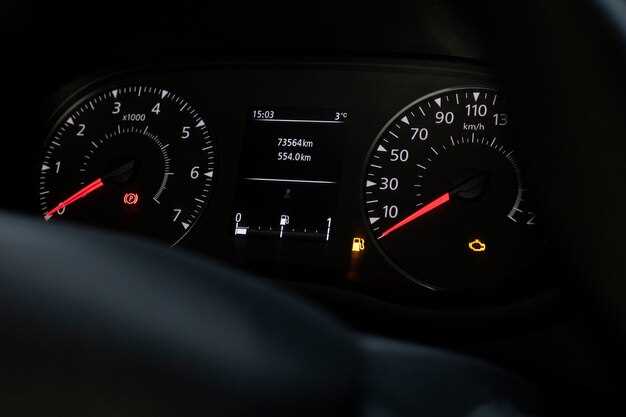
Dashboard service lights can illuminate for various reasons, indicating that your BMW requires attention. Understanding these causes can help you address issues promptly and effectively.
One common reason for service lights is scheduled maintenance. BMW vehicles are designed to notify owners when regular servicing is due, such as oil changes, brake inspections, or fluid checks. To address this, consult your owner’s manual for the recommended service intervals and follow through with scheduled maintenance at a BMW-certified service center.
Another frequent trigger for dashboard service lights is low fluid levels. This includes engine oil, coolant, or transmission fluid. If your dashboard lights indicate low fluid, check the respective levels and top them off as necessary. If levels are consistently low, this may indicate a leak that requires professional examination.
Brake system issues also activate service lights. This could be due to worn brake pads, low brake fluid, or malfunctioning sensors. Regular inspection and timely replacement of brake components are crucial. Should a dashboard light prompt you about the brakes, it’s advisable to seek immediate assistance from a mechanic.
Additionally, tire pressure monitoring system (TPMS) lights can illuminate when tire pressure falls below recommended levels. Regularly check tire pressure and ensure they are inflated to specifications. If the TPMS light persists after addressing tire pressure, there may be a sensor issue that needs professional attention.
Lastly, engine-related problems such as check engine lights can appear due to various issues ranging from minor to serious. Conducting a diagnostic test with a professional will provide you clarity on the underlying problem. Ignoring engine lights may lead to serious damage or costly repairs.
Addressing these common issues promptly can prevent further complications and ensure your BMW remains in optimal condition. Always refer to your vehicle’s manual for specific instructions and consider professional maintenance to effectively reset dashboard service lights.
Tools Required for a Successful BMW Dashboard Service Light Reset
To effectively reset the service lights on your BMW dashboard, you will need a few essential tools. These tools will ensure you can perform the reset smoothly and accurately without any complications.
OBD-II Scanner: This is perhaps the most crucial tool for resetting service lights. An OBD-II (On-Board Diagnostics) scanner allows you to communicate with your vehicle’s onboard computer. It aids in reading diagnostic trouble codes and performing resets on service lights effectively.
BMW-Specific Software: Many BMW enthusiasts opt for software designed specifically for BMW models, such as INPA or ISTA. This software provides detailed access to the vehicle’s systems, allowing for a precise dashboard reset and the ability to manage various functions.
Owner’s Manual: Keeping your vehicle’s owner’s manual handy can be beneficial. It contains valuable information regarding the specific procedures for your BMW model. Understanding the reset process outlined in the manual ensures you follow the correct steps for your vehicle.
Multimeter: A multimeter can be useful for checking the electrical systems of your BMW. If the service lights persist even after the reset, a multimeter can help diagnose any underlying issues, ensuring a comprehensive approach to vehicle maintenance.
Basic Hand Tools: While resetting service lights is often a simple process, having basic hand tools (like screwdrivers and wrenches) might be necessary in case you need to access the vehicle’s diagnostic port or perform any additional maintenance simultaneously.
By gathering these tools, you can ensure a successful reset of your BMW dashboard service lights, allowing for a smoother driving experience and better vehicle management.